
Elite Tech Corporation | Zoho People Implementation for Modern HR Teams
Elite Tech Corporation is a Certified Zoho Implementation Partner helping organizations transform their HR operations with end-to-end Zoho People implementation services. We work closely with HR teams to design, configure, and deploy Zoho People in a way that aligns perfectly with your business processes, compliance requirements, and growth goals.
Our Zoho People Implementation Services Include:
- System setup and configuration tailored to your HR processes
- Data migration from existing HR systems Custom workflows and approval automation
- End-to-End Employee Lifecycle & HR Management
- Payroll integration and HR analytics
Book a Demo
Why Choose Elite Tech Corporation?
Our experts handle everything from system setup and data migration to custom workflows, approval automation, attendance, leave, and payroll integrations. Whether you’re a startup building your first HR system or an enterprise looking to modernize legacy HR processes, we ensure a seamless and scalable Zoho People deployment.
With deep expertise in the Zoho ecosystem, we enable employee self-service portals, real-time HR analytics, role-based access controls, and end-to-end HR automation helping your HR team reduce manual effort, improve accuracy, and deliver a better employee experience.
As a certified Zoho partner, Elite Tech Corporation brings proven implementation frameworks, best practices, and enterprise-grade delivery standards to every project helping you build a future-ready HR system that grows with your organization.
Rapid Implementation
Launch your Zoho HRMS in as little as 7–15 days with Elite Tech Corporation proven implementation framework. Our rapid implementation approach is built on standardized best practices, pre-configured modules, and industry-tested workflows allowing you to go live faster without compromising on quality.
Hassle-Free Onboarding
Our streamlined onboarding process ensures quick alignment, clear communication, and a smooth project kickoff so we can begin your Zoho People implementation without delays.
Quick Setup Process
We leverage standardized configurations and best practices to accelerate setup and deliver a fully functional Zoho People environment quickly.
Hands-On Expert Training
Learn from HR technology specialists who understand your business challenges. Our hands-on training ensures your team masters the platform quickly and confidently.
Dedicated Support Team
Get help when you need it from people who care about your success. Our responsive support team resolves issues fast, keeping your HR operations running smoothly.
Assured Go-Live
We commit to deadlines and deliver. Our structured approach ensures you launch on time, every time, with full functionality from day one.
Which Plan would you like to Choose?
Basic Package
Go live in 7 working days
Handles Basic activities from onboarding , tracking leave, attendance and employee records
₹ 40,000*
- Onboarding
- Employee database management
- Time - off management ( leave )
- Attendance management
- Exit Management
- Documents and Employee File Management
- Basic HR reports
Professional Package
Go live in 14 working days
Advanced HR capabilities including performance, appraisals, timesheets, appraisal & budgeting, and integrations
₹ 75,000*
- Structuring Organization
- Timesheets
- Performance Management
- Zoho Integration
Elite Package
Go live in 30 working days
A complete HR transformation with analytics, biometric integration, LMS, help desk, engagement tools, and custom services built for enterprise-level HR excellence.
₹ 1,20,000*
- Biometric Integration
- Budgeting & Appraisal Management
- HR help desk
- Learning management system
- Employee Engagement
- Advanced HR analytics
- Custom Service *
Basic Package is designed for small teams to manage essential HR operations smoothly. It includes onboarding, employee database management, attendance and leave tracking, exit management, document handling, and basic HR reports. The solution can be implemented and go live within
7 working days, making it a quick and reliable start for structured HR management.
| Sno | Module | Activities | Description |
| 1 | Onboarding - Employee | Onboarding Portal | SetupSet up a personalized portal where new hires can complete formssubmit documents, and access training materials. |
| Document & Policy and Checklist | Organize and provide necessary company documents and policies (e.g., contracts, handbooks) to ensure new hires understand their roles and company expectations and Develop a list of essential tasks to complete during onboarding, | ||
| 2 | Employee Module | Domain & DKIM Authentication | Set up domain authentication and DKIM (DomainKeys Identified Mail) to ensure email security and prevent emails from being marked as spam when sending official communications to employees. |
| User Addition | Add new employees to the Zoho People by creating their user profiles, including personal details, job information, and login credentials, to grant access to the platform. | ||
| Non User Addition | Add non-user entries (e.g., contractors, vendors, external collaborators) to the system. | ||
| Department diversification | Set up and manage various departments within the organization in Zoho People, allowing employees to be grouped based on their department. | ||
| Work Location diversification | Configure and track multiple work locations (offices, remote, hybrid) in Zoho People, ensuring employee work locations are accurately recorded. | ||
| Employee data migration | Transfer employee data from existing systems (e.g., HRMS, spreadsheets) into Zoho People, ensuring all relevant employee details are moved accurately. | ||
| 3 | Leave Management | Leave Calendar and Weekend Definition | Set up the company’s leave calendar, defining holidays, weekends, and working days to ensure accurate leave tracking. |
| Leave types configuration | Configure different types of leave (e.g., vacation, sick, personal) for employees to request and track. | ||
| Leave Balance Import | Import employees' leave balances from previous systems to maintain continuity in tracking leave entitlements. | ||
| Holidays Import | Import official holiday data to ensure accurate holiday records for employees and correct leave calculations. | ||
| Leave Approvals | Set up leave approval workflows, allowing managers to review and approve employee leave requests. | ||
| Pay Cycle Configuration | Configure pay cycles to accurately calculate leave accruals and deductions based on payroll cycles. | ||
| 4 | Attendance Management | Attendance Policy Configuration | Set up attendance rules (e.g., working hours, overtime). |
| Shift Management | Configure and manage employee shifts including fixed, rotating, or flexible schedules and the track the attendance correctly. | ||
| Attendance methods | Allow employees to correct attendance discrepancies (e.g., missed punches) through regularization requests. | ||
| Absent Scheduler & Email | Automate absentee scheduling and send email notifications to employees and managers for planned or unplanned absences. | ||
| Approvals | Configure multi-level approval chains for all leave requests to manage submission of hourly permissions , on-duty , regularizing attendance etc., | ||
| 5 | File Sharing | Document Upload & Sharing | Allows users to securely upload and store documents (e.g., resumes, contracts) in employee profiles and can be shared with authorized users or teams . |
| 6 | Exit Management | Exit Request | Employees submit formal exit requests when deciding to leave the company, initiating the offboarding process. |
| No Due Clearance | Ensure employees complete all exit formalities, such as returning company property and clearing outstanding dues, before their departure. | ||
| Exit Interview | Conduct interviews to gather feedback from departing employees on their experience, reasons for leaving, and suggestions for improvement. | ||
| Resignation & Experience Letter | Generate resignation acknowledgment letters and experience certificates for employees leaving the organization, documenting their tenure and contributions. | ||
| 7 | Zoho Integration | Integration with CRM, Projects, Books, Invoice, Expense, Payroll, Sign, Analytics, Writer | Integrate Zoho People with other Zoho apps like CRM,Projects, Books, and Payroll to streamline workflows,sync data, and enhance cross-functional collaboration. |
Request Basic Pricing
Professional Package is built for growing organizations that need advanced HR capabilities. It includes everything in the Basic package plus performance management, appraisals, timesheets, organizational structuring, and Zoho integrations. With enhanced reporting and automation, this package can be implemented and go live within 14 working days, making it ideal for scaling HR operations efficiently.
| Sno | Module | Activities | Description |
| 1 | Onboarding - Candidate | Onboarding Portal Setup | Configuring an portal setup for hiring process for personalized tasks, document uploads, and training modules. |
| Document & Policy | Upload and manage key company documents (employee handbooks, contracts, policies) acknowledge important materials during their onboarding. | ||
| 2 | Onboarding - Employee | Onboarding Portal Setup | Set up a personalized portal where new hires can complete forms, submit documents, and access training materials. |
| Document & Policy and Checklist | Organize and provide necessary company documents and policies (e.g., contracts, handbooks) to ensure new hires understand their roles and company expectations and Develop a list of essential tasks to complete during onboarding. | ||
| 3 | Employee Module | Domain & DKIM Authentication | Set up domain authentication and DKIM (DomainKeys Identified Mail) to ensure email security and prevent emails from being marked as spam when sending official communications to employees. |
| User Addition | Add new employees to the Zoho People by creating their user profiles, including personal details, job information, and login credentials, to grant access to the platform. | ||
| Non User Addition | Add non-user entries (e.g., contractors, vendors, external collaborators) to the system. | ||
| Department diversification | Set up and manage various departments within the organization in Zoho People, allowing employees to be grouped based on their department. | ||
| Work Location diversification | Configure and track multiple work locations (offices, remote, hybrid) in Zoho People, ensuring employee work locations are accurately recorded. | ||
| Employee data migration | Transfer employee data from existing systems (e.g., HRMS, spreadsheets) into Zoho People, ensuring all relevant employee details are moved accurately. | ||
| Addition of Groups | Create and manage employee groups (e.g., by department, project teams, locations) for streamlined communication. | ||
| 4 | Organisation Structure | Addition of Entity | Create and add new entities (e.g., subsidiaries, branches, or parent companies) to structure the organization according to its legal and operational division. |
| Addition of Business Unit | Set up business units in to represent different functional or operational units within the organization such as sales, marketing, or operations. | ||
| Addition of division | Add divisions within the organization to categorize large departments or specialized groups. | ||
| Organisation Structure Mapping | Define and map the organizational structure including reporting relationships, departments, business units, and divisions, to ensure proper hierarchy. | ||
| 5 | Leave Management | Leave Calendar and Weekend Definition | Set up the company’s leave calendar, defining holidays, weekends, and working days to ensure accurate leave tracking. |
| Leave types configuration | Configure different types of leave (e.g., vacation, sick, personal) for employees to request and track. | ||
| Leave Application Import | Import historical leave data from external sources to ensure accurate records in Zoho People. | ||
| Leave Balance Import | Import employees' leave balances from previous systems to maintain continuity in tracking leave entitlements. | ||
| Holidays Import | Import official holiday data to ensure accurate holiday records for employees and correct leave calculations. | ||
| Leave Approvals | Set up leave approval workflows, allowing managers to review and approve employee leave requests. | ||
| Pay Cycle Configuration | Configure pay cycles to accurately calculate leave accruals and deductions based on payroll cycles. | ||
| 6 | Attendance Management | Attendance Policy Configuration | Set up attendance rules (e.g., working hours, overtime). |
| Shift Management | Configure and manage employee shifts including fixed, rotating, or flexible schedules and the track the attendance correctly. | ||
| Attendance methods | Allow employees to correct attendance discrepancies (e.g., missed punches) through regularization requests. | ||
| Absent Scheduler & Email | Automate absentee scheduling and send email notifications to employees and managers for planned or unplanned absences. | ||
| Other Specific Policies | Track work-related absences (e.g., meetings, business trips) and record them in the attendance system. | ||
| Approvals | Configure multi-level approval chains for all leave requests to manage submission of hourly permissions , on-duty , regularizing attendance etc., | ||
| 7 | Time Tracker | Projects & Clients | Define clients and allocate projects under them with billing preferences. Helps track effort spent by employees on customer deliverables. |
| Timesheets | Enable employees to log daily or weekly work hours on tasks or projects. Helps track productive hours and validate effort spent. | ||
| Reports & Analysis | Generate analytical reports on project hours, billable vs non-billable time, and employee productivity. Assists in decision-making and performance measurement. | ||
| Timesheet Scheduler | Schedule automatic timesheet and approvals for tracking of working hours. | ||
| Approvals | Set up an approval workflow for timesheets, allowing managers to review and approve or reject employee time logs. | ||
| 8 | Performance Management | Performance Metrics Configuration | Set up and define KPIs to evaluate employee performance based on roles and company goals. |
| Skill Set Allocation | Assign and track skills for employees to identify gaps and development needs. | ||
| Continuous Review Setup | Enable ongoing feedback and check-ins for real-time performance evaluation. | ||
| Review Questions | Customize the set of review questions used during performance appraisals that can be tailored for different roles, teams, or performance areas like goals, competencies, and behaviors. | ||
| Goal Settings & Approvals | Set and approve employee goals aligned with company objectives for better tracking. | ||
| 9 | File Sharing | Document Upload & Sharing | Allows users to securely upload and store documents (e.g., resumes, contracts) in employee profiles and can be shared with authorized users or teams. |
| 10 | LMS | Courses | Create structured learning courses with modules, videos, and documents. Helps deliver professional training and compliance learning. |
| Learners | Manage learner enrollment, progress tracking, and course completion. Ensures employees participate in required learning programs. | ||
| 11 | Exit Management | Exit Request | Employees submit formal exit requests when deciding to leave the company, initiating the offboarding process. |
| No Due Clearance | Ensure employees complete all exit formalities, such as returning company property and clearing outstanding dues, before their departure. | ||
| Exit Interview | Conduct interviews to gather feedback from departing employees on their experience, reasons for leaving, and suggestions for improvement. | ||
| Resignation & Experience Letter | Generate resignation acknowledgment letters and experience certificates for employees leaving the organization, documenting their tenure and contributions. | ||
| 12 | Zoho Integration | Integration with CRM,Projects, Books,Invoice, Expense, Payroll, Sign, Analytics, Writer | Integrate Zoho People with other Zoho apps like CRM,Projects, Books, and Payroll to streamline workflows,sync data, and enhance cross-functional collaboration. |
Request Professional Pricing
Elite Package is a comprehensive HR solution designed for enterprises seeking complete digital transformation. It includes everything in the Professional package plus biometric integration, budgeting and appraisal management, HR help desk, learning management system, employee engagement tools, and advanced HR analytics. With customizable services tailored to business needs, this package delivers enterprise-level HR excellence and can go live within 30 working days.
| Sno | Module | Activities | Description |
| 1 | Onboarding - Candidate | Onboarding Portal Setup | Configuring an portal setup for hiring process for personalized tasks, document uploads, and training module. |
| Document & Policy | Upload and manage key company documents (employee handbooks, contracts, policies) acknowledge important materials during their onboarding. | ||
| 2 | Onboarding - Employee | Onboarding Portal Setup | Set up a personalized portal where new hires can complete forms, submit documents, and access training materials. |
| Document & Policy and Checklist | Organize and provide necessary company documents and policies (e.g., contracts, handbooks) to ensure new hires understand their roles and company expectations and Develop a list of essential tasks to complete during onboarding. | ||
| 3 | Employee Module | Domain & DKIM Authentication | Set up domain authentication and DKIM (DomainKeys Identified Mail) to ensure email security and prevent emails from being marked as spam when sending official communications to employees. |
| User Addition | Add new employees to the Zoho People by creating their user profiles, including personal details, job information, and login credentials, to grant access to the platform. | ||
| Non User Addition | Add non-user entries (e.g., contractors, vendors, external collaborators) to the system. | ||
| Department diversification | Set up and manage various departments within the organization in Zoho People, allowing employees to be grouped based on their department. | ||
| Work Location diversification | Configure and track multiple work locations (offices, remote, hybrid) in Zoho People, ensuring employee work locations are accurately recorded. | ||
| Employee data migration | Transfer employee data from existing systems (e.g., HRMS, spreadsheets) into Zoho People, ensuring all relevant employee details are moved accurately. | ||
| Addition of Groups | Create and manage employee groups (e.g., by department, project teams, locations) for streamlined communication. | ||
| 4 | Organisation Structure | Addition of Entity | Create and add new entities (e.g., subsidiaries, branches, or parent companies) to structure the organization according to its legal and operational division. |
| Addition of Business Unit | Set up business units in to represent different functional or operational units within the organization such as sales, marketing, or operations. | ||
| Addition of division | Add divisions within the organization to categorize large departments or specialized groups. | ||
| Organisation Structure Mapping | Define and map the organizational structure including reporting relationships, departments, business units, and divisions, to ensure proper hierarchy. | ||
| 5 | Leave Management | Leave Calendar and Weekend Definition | Set up the company’s leave calendar, defining holidays, weekends, and working days to ensure accurate leave tracking. |
| Leave types configuration | Configure different types of leave (e.g., vacation, sick, personal) for employees to request and track. | ||
| Leave Application Import | Import historical leave data from external sources to ensure accurate records in Zoho People. | ||
| Leave Balance Import | Import employees' leave balances from previous systems to maintain continuity in tracking leave entitlements. | ||
| Holidays Import | Import official holiday data to ensure accurate holiday records for employees and correct leave calculations. | ||
| Leave Approvals | Set up leave approval workflows, allowing managers to review and approve employee leave requests. | ||
| Pay Cycle Configuration | Configure pay cycles to accurately calculate leave accruals and deductions based on payroll cycles. | ||
| 6 | Attendance Management | Attendance Policy Configuration | Set up attendance rules (e.g., working hours, overtime). |
| Bio-metric Integration | Integrate biometric devices to automatically track employee attendance, reducing manual errors. | ||
| Shift Management | Configure and manage employee shifts including fixed, rotating, or flexible schedules and the track the attendance correctly. | ||
| Attendance methods | Allow employees to correct attendance discrepancies (e.g., missed punches) through regularization requests. | ||
| Absent Scheduler & Email | Automate absentee scheduling and send email notifications to employees and managers for planned or unplanned absences. | ||
| Approvals | Configure multi-level approval chains for all leave requests to manage submission of hourly permissions , on-duty , regularizing attendance etc., | ||
| 7 | Time Tracker | Projects & Clients | Define clients and allocate projects under them with billing preferences. Helps track effort spent by employees on customer deliverables. |
| Timesheets | Enable employees to log daily or weekly work hours on tasks or projects. Helps track productive hours and validate effort spent. | ||
| Reports & Analysis | Generate analytical reports on project hours, billable vs non-billable time, and employee productivity. Assists in decision-making and performance measurement. | ||
| Timesheet Scheduler | Schedule automatic timesheet and approvals for tracking of working hours. | ||
| Approvals | Set up an approval workflow for timesheets, allowing managers to review and approve or reject employee time logs. | ||
| 8 | Performance Management | Performance Metrics Configuration | Set up and define KPIs to evaluate employee performance based on roles and company goals. |
| Appraisal Cycle | Configure the frequency and structure of performance reviews, such as annual or quarterly cycles. | ||
| Skill Set Allocation | Assign and track skills for employees to identify gaps and development needs. | ||
| Continuous Review Setup | Enable ongoing feedback and check-ins for real-time performance evaluation. | ||
| Review Questions | Customize the set of review questions used during performance appraisals that can be tailored for different roles, teams, or performance areas like goals, competencies, and behaviors. | ||
| Budgeting & Hike Proposal | Create and manage salary hike proposalsbased on performance reviews. Allocate budget for raises or bonuses. | ||
| Goal Settings & Approvals | Set and approve employee goals aligned with company objectives for better tracking. | ||
| Appraisal Letter | Generate formal appraisal letters with feedback, ratings, and decisions on raises or promotions. | ||
| 9 | File Sharing | Document Upload & Sharing | Allows users to securely upload and store documents (e.g., resumes, contracts) in employee profiles and can be shared with authorized users or teams. |
| 10 | HR Cases | Categories & Sub Category Setup | Define and organize HR case types into categories and sub-categories (e.g., leave requests, grievances) to streamline case management and tracking. |
| Turn Around Time (TAT) | Set expected response and resolution times for different HR cases to ensure timely handling and improve efficiency in case resolution. | ||
| Feedback | Collect feedback from employees on HR case resolutions to gauge satisfaction and improve the overall case management process. | ||
| 11 | LMS | Courses | Create structured learning courses with modules, videos, and documents. Helps deliver professional training and compliance learning. |
| Assessments | Build quizzes and tests to measure learning outcomes. Supports evaluating knowledge retention and certification. | ||
| Feedback | Collect learner feedback for improving training quality and course content. | ||
| Reports | Track learning analytics such as course completion, scores, and training effectiveness. Helps HR evaluate program success. | ||
| Learners | Manage learner enrollment, progress tracking, and course completion. Ensures employees participate in required learning programs. | ||
| 12 | Exit Management | Exit Request | Employees submit formal exit requests when deciding to leave the company, initiating the offboarding process. |
| No Due Clearance | Ensure employees complete all exit formalities, such as returning company property and clearing outstanding dues, before their departure. | ||
| Exit Interview | Conduct interviews to gather feedback from departing employees on their experience, reasons for leaving, and suggestions for improvement. | ||
| Resignation & Experience Letter | Generate resignation acknowledgment letters and experience certificates for employees leaving the organization, documenting their tenure and contributions. | ||
| 13 | Employee Engagement | Survey Creation | Create and design surveys to gather employee feedback on various topics, such as satisfaction, engagement, and company culture. |
| Survey Feedback | Collect and analyze responses from employees to gain insights into their experiences and improve workplace practices. | ||
| 14 | Zoho Integration | Integration with CRM,Projects, Books,Invoice, Expense, Payroll, Sign, Analytics, Writer | Integrate Zoho People with other Zoho apps like CRM, Projects, Books, and Payroll to streamline workflows,sync data, and enhance cross-functional collaboration. |
| 15 | Third Party Integration | Integration with Adobe Sign,Docu Sign, Quickbooks,Paybooks, greytHR,Zapier, Xoxoday, Microsoft | Connect Zoho People with third-party tools such as Adobe Sign,QuickBooks, or Microsoft for documentsigning, payroll processing, or productivity enhancement. |
| 16 | Analytics | Custom Reports creation | Build custom reports and dashboards to analyze employee data, track performance, and make data-driven HR decisions. |
| 17 | Custom Service * | Custom Service Setup | Configure and customize Zoho People’s service features, such as workflows and automation, to match your organization’s specific needs and processes. |
Request Elite Package Pricing
*Note :
The above pricing is for reference only and is subject to change based on organizational size, scope of work, and HR process complexity. Final commercial terms will be defined in
the formal proposal.Local taxes (VAT, GST, etc.) will be charged in addition to the prices mentioned.
Our Implementation Stages
How We Collaborate With You
At Elite Tech Corporation, we follow a proven, transparent delivery cycle that keeps you informed and in control at every step. Our process is designed for speed, clarity, and results ensuring your people goes live smoothly and on time.
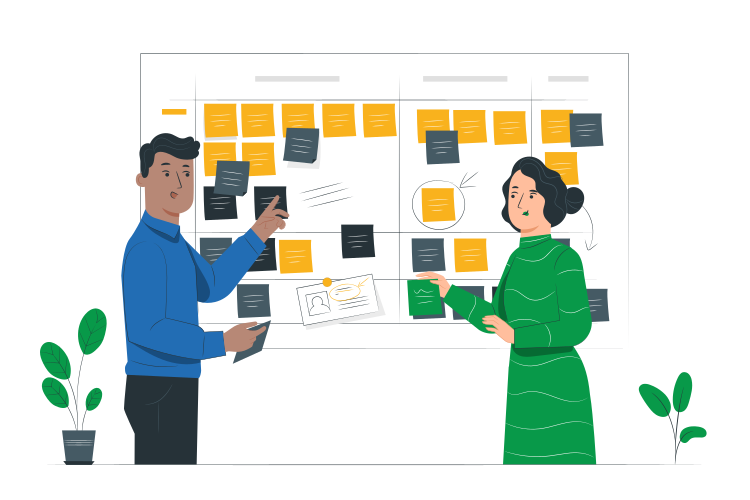
1.Requirement Gathering & Solution Providing
- Understand your business goals and HR challenges
- Document key requirements and workflows
- Design a customized solution tailored to your needs

2.Smooth Handoff
- Present the complete solution design for review
- Ensure alignment and full visibility before development
- Get approval to proceed with implementation
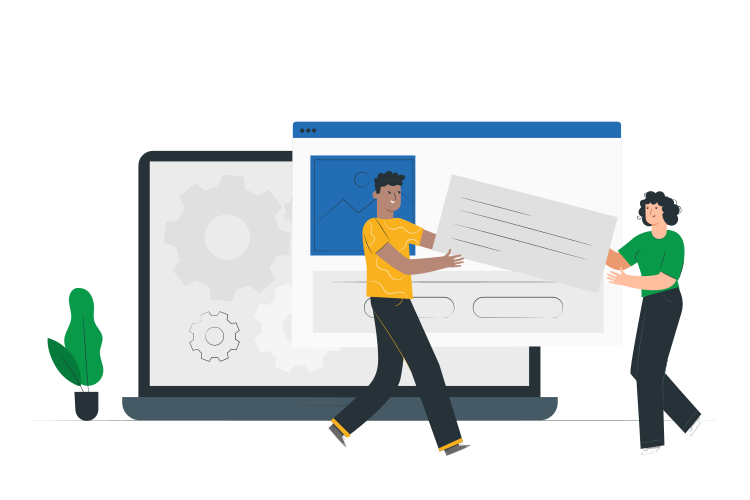
3.Setup & Configuration
- Configure and automate people modules in focused sprints
- Test each component for accuracy and quality
- Prepare the system for real-world use
4. Project Closure
- Present the completed system for review
- Collect feedback and address any concerns
- Finalize the system for UAT

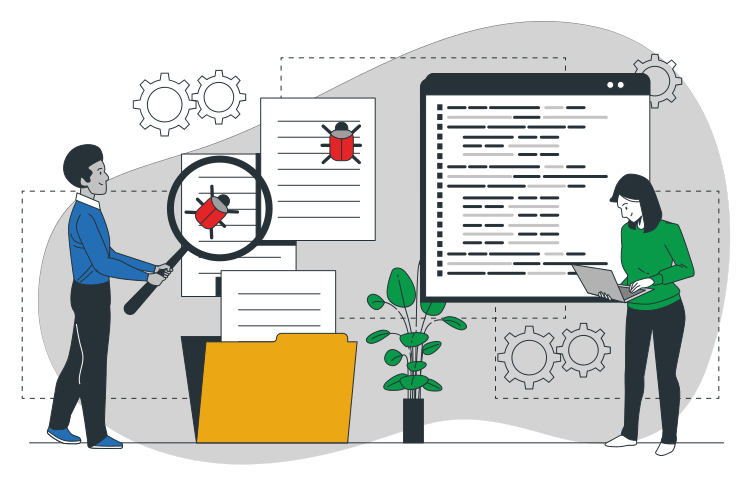
5. User Acceptance Testing (UAT)
- Your team tests the system with real data
- Refine workflows based on feedback
- Ensure everything works smoothly for daily operations
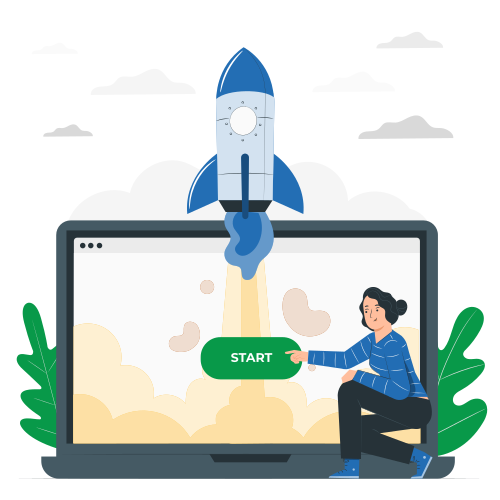
6. Go Live
- Migrate data and activate all users
- Monitor system performance closely
- Provide immediate support during the transition
7. Ongoing Support
- Resolve post-launch issues promptly
- Monitor system stability and performance
- Help your HR team adapt fully to the new HRMS

Frequently asked Questions
1. Is this only for Zoho People, or does it include other Zoho apps?
While Elite Tech Corporation People Plan primarily focuses on Zoho People, it can also support other Zoho applications if needed. If your HR process involves payroll management, recruitment, or expense tracking, Elite Tech Corporation can integrate Zoho Payroll, Zoho Recruit, or Zoho Expense seamlessly. These integrations ensure that your HR ecosystem is connected, data flows smoothly between applications, and manual work is minimized. The goal is to provide a unified system that works efficiently across your HR operations.
2. Does Elite Tech Corporation help with Zoho People data migration?
3. Do we need internal technical expertise to manage Zoho People?
No Zoho People is designed to be user-friendly, and Elite Tech Corporation ensures the system is structured for easy day-to-day management. HR teams can handle leave approvals, attendance, reports, and workflows independently, without relying on IT support. Where needed, Elite provides guidance and documentation to help staff confidently manage the system. Automations and pre-configured workflows further reduce dependency on technical expertise.
4. Is Zoho People secure for employee data?
Yes. Zoho People is built with strong cloud-based security standards, and Elite Tech Corporation reinforces this through proper configuration.
We set role-based access controls so only authorized personnel can view or modify sensitive employee data.
Permissions and workflows are carefully structured to protect privacy while maintaining transparency for managers.
5. Is this plan suitable for small teams or only large companies?
Elite Tech Corporation’s People Plan is flexible and works for companies of all sizes.
For small or growing teams, we provide a scaled setup that covers only what is necessary, avoiding unnecessary complexity.
For larger organizations, we handle multiple departments, locations, shifts, and approval hierarchies efficiently.
The plan adapts as your company grows, so you can expand modules, workflows, and reporting capabilities without starting over.
Hear what our customers say
I would strongly recommend Elite Tech Corporation to any organization looking to implement Zoho products with long-term scalability, process discipline, and business impact in mind.

At Elite Tech Corporation has been a great partner. Ikram and Anand truly understand Zoho One applications. They've successfully implemented landing pages, forms, APIs, workflows and more for our company. Their support has made a meaningful difference. It's been a pleasure working with them and we appreciate their continued dedication and excellent service.

Ikram and the Elite Tech Corporation team made our transition from Salesforce to Zoho seamless. Their consultative approach, best practice insights and custom API development were invaluable. They understand Zoho One deeply and have successfully delivered landing pages, forms and workflows. It's been a pleasure partnering with them they've truly elevated our operations

We had the pleasure of working with Elite Tech Corporation to implement Zoho solutions and the experience was exceptional. Their expertise, communication and customization aligned perfectly with our needs. They ensured smooth implementation, effective training and responsive support. Thanks to their efforts, our operations are more efficient. Highly recommended for any Zoho implementation


We recently started using Zoho software in our company, and our experience has been good so far. The system is easy to use and has helped us manage our work more efficiently. Our team was able to adapt quickly, and the features are helpful for our daily operations. We are satisfied with Zoho and look forward to using it more in the future.

I want to express my immense pleasure and gratitude for the exceptional work and dedication of the elite team. Your efforts in ensuring smooth operations and promptly resolving any issues are greatly appreciated. Your expertise and professionalism make a significant impact on our sales needs and overall success. Keep up the great work it's truly valued by everyone

I want to express my gratitude for the great partnership with At Elite Tech Corporation. Your understanding of our requirements and customization of Zoho Books have positively impacted our operations. The successful implementation of APIs and workflows has streamlined processes. Thank you for your dedication looking forward to continuing this productive and rewarding collaboration.

Ready to transform your People?
Let’s build something exceptional together.